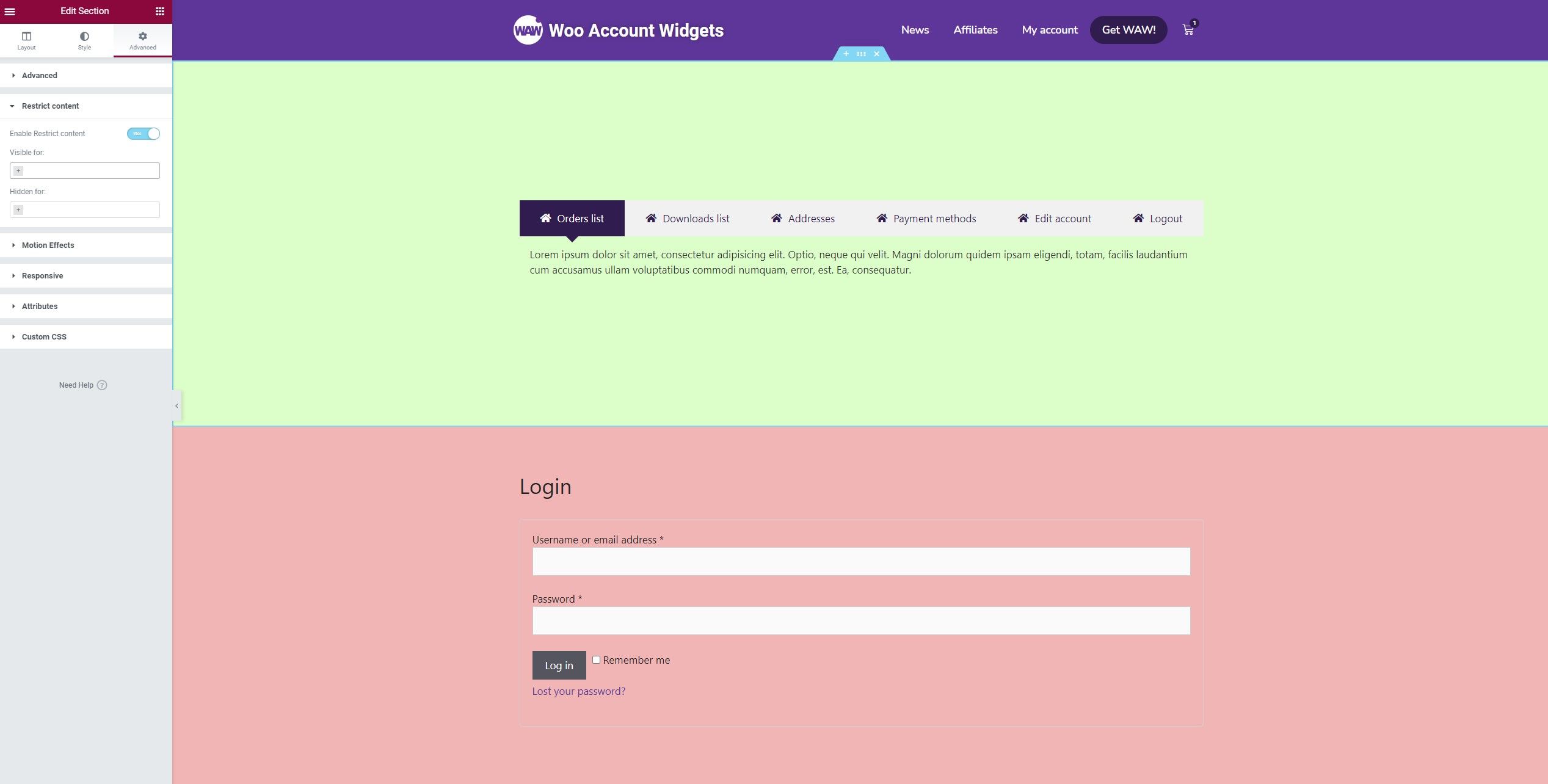
The Restrict Elements extension is ready to display the content dynamically depending on if the user is logged or non logged. Just need to activate the extension from the plugin Extensions tab and save the settings.
Once you have enabled the extension, a new option will be available in the advanced tab of each element.
How to configure the Extension?
This extension is very easy to configure, just need access to the Advanced tab of each element and activate it where you want to use.
You can choose between:
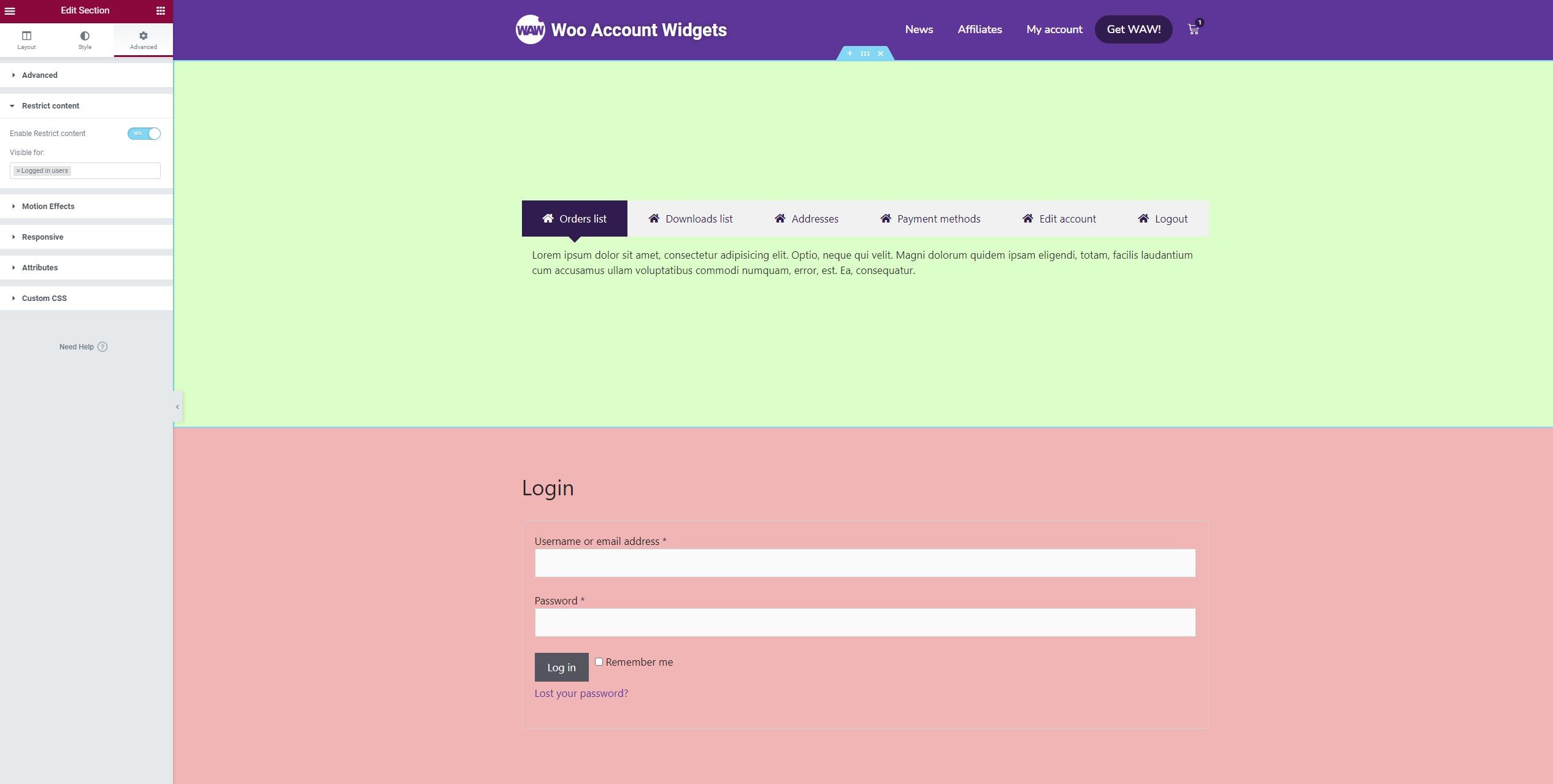
Visible for: logged-in users, the element only will be displayed to the logged-in users.
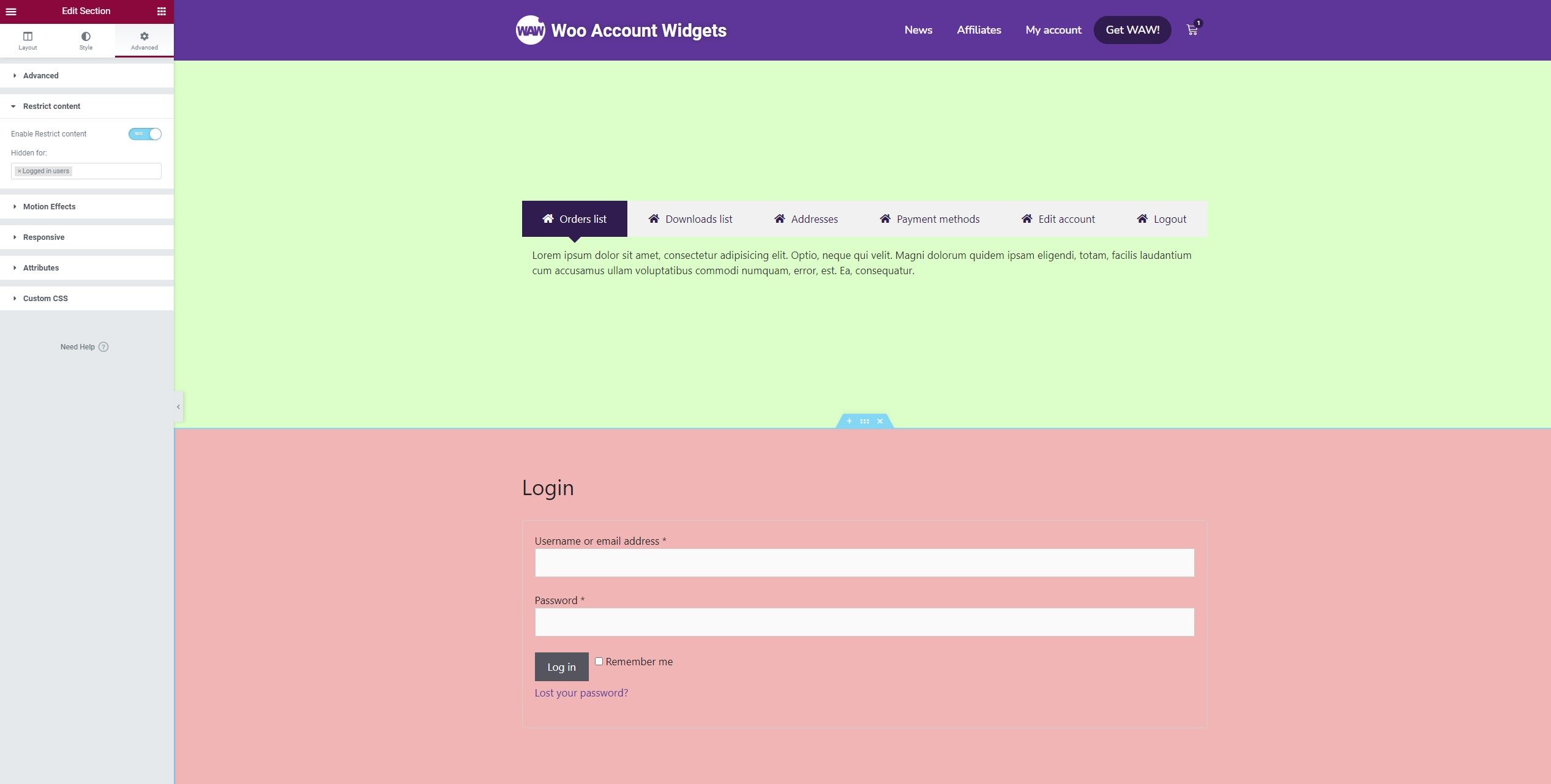
Hidden for: logged-in users, the element only will be displayed to the non logged-in users.
NoteThis extension can be used on each page and on each element, regardless of account page.
4.7/5 - (26 votes)
These cookies can not be eaten, but they are great analyzing traffic to improve your browsing experience. Do you accept them? ACCEPTREJECTRead More
Cookies
Privacy Overview
This website uses cookies to improve your experience while you navigate through the website. Out of these, the cookies that are categorized as necessary are stored on your browser as they are essential for the working of basic functionalities of the website. We also use third-party cookies that help us analyze and understand how you use this website. These cookies will be stored in your browser only with your consent. You also have the option to opt-out of these cookies. But opting out of some of these cookies may affect your browsing experience.
Necessary cookies are absolutely essential for the website to function properly. This category only includes cookies that ensures basic functionalities and security features of the website. These cookies do not store any personal information.
Any cookies that may not be particularly necessary for the website to function and is used specifically to collect user personal data via analytics, ads, other embedded contents are termed as non-necessary cookies. It is mandatory to procure user consent prior to running these cookies on your website.